

Certificate of Insurance for a General Contractor

Give your general contractor the certificate their subcontract requires

Generate subcontractor certificates yourself in the Spot app, while your Spot team gets the endorsements the GC’s subcontract calls for onto your policy.

  • Subcontract insurance terms checked before you mobilize
  • Additional insured and waiver endorsements requested for you
  • Keep your broker or switch, with no commissions on premiums
A subcontractor and site superintendent in white hardhats compare a document at a small jobsite trailer, its whole roof and both side edges visible behind them.

How it works

Send us the subcontract

Upload the subcontract’s insurance exhibit or the GC’s compliance request. Your Spot team lists each coverage, limit and endorsement it asks for.

General liability insurance

Juniper Electrical · Policy review

Policy wording
Coverage limits
Compare with
Contract requirements

Confirm with your broker

Limits, exclusions, and endorsements

Get the endorsements in place

We work with your broker and insurer to add additional insured, waiver of subrogation or primary and non-contributory wording where the subcontract requires it.

# spot-support

SamJuniper Electrical

Can you help prepare proof of our general liability insurance?

RileySpot

Let’s review the information and discuss the next steps with your broker.

Generate the certificate

Create it in the Spot app for the GC and any owner or project the subcontract names, and send it to their compliance team.

SamJuniper Electrical

Can you help prepare proof of our general liability insurance?

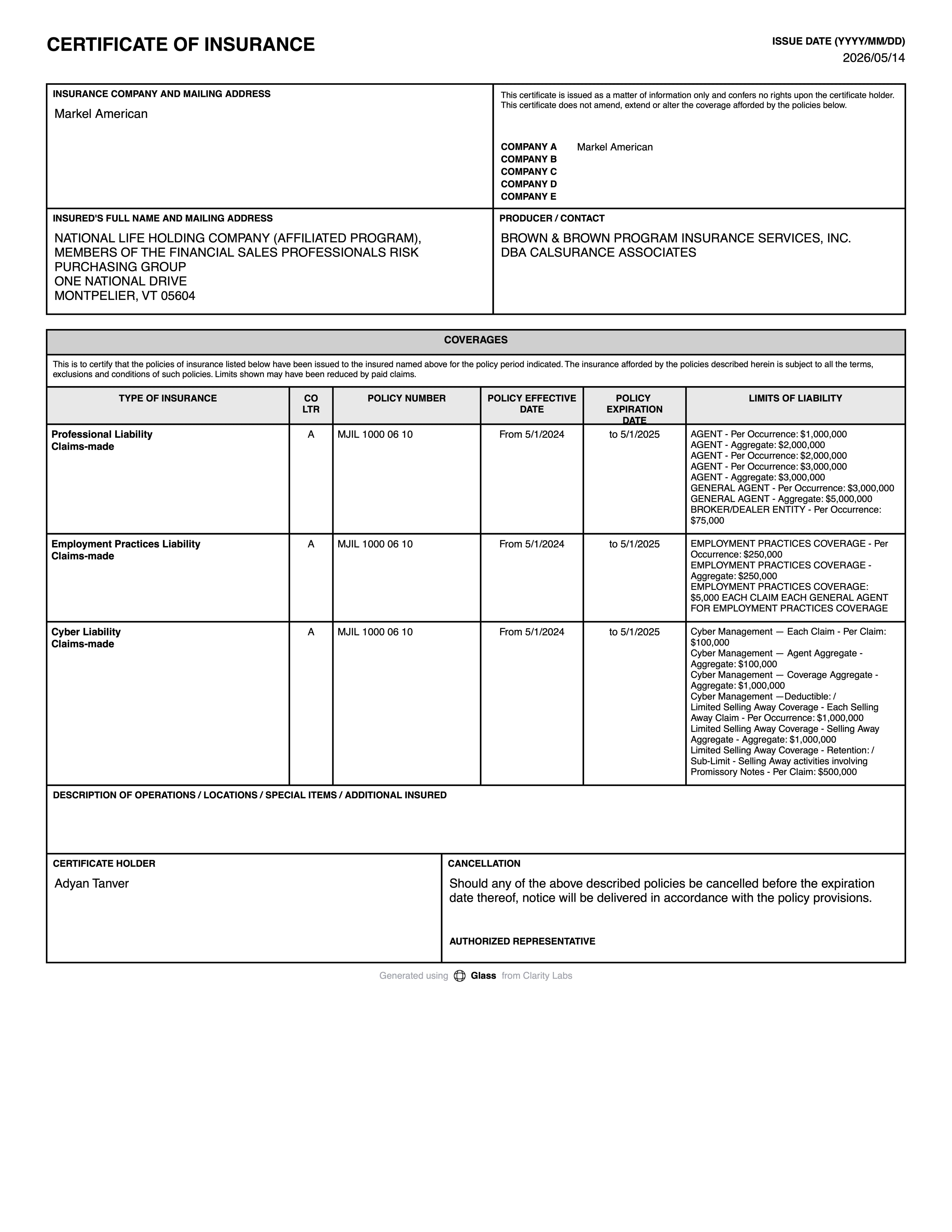
Certificate of insurance

Juniper Electrical

Ready for your review

Reissue for each project

Each new job can bring its own requirements. Upload the next request and we check it the same way.

SamJuniper Electrical

Can you help prepare proof of our general liability insurance?

Let’s review the information and discuss the next steps with your broker.

General liability insurance policy

Coverage terms · Limits

What your certificate needs to show

  • 01

    General liability with completed operations

    GCs care about claims after your work is finished, so subcontracts often ask that coverage extend to completed work.

  • 02

    Additional insured for the GC and owner

    The GC, the project owner and others the subcontract lists, for both ongoing and completed work.

  • 03

    Waiver of subrogation

    Requested on general liability, auto and workers’ compensation, so your insurers won’t pursue the GC after paying a claim.

  • 04

    Primary and non-contributory

    Your policy responds first for claims from your work, without calling on the GC’s insurance.

  • 05

    Auto, workers’ comp and umbrella

    Auto liability for your vehicles, workers’ compensation for your crew and an umbrella when limits run higher than your primary policies.

  • 06

    Project details

    The project name or address in the description section, so the certificate ties to the job.

Endorsements to check

  • 01

    Additional insured, ongoing operations

    Extends your liability coverage to the GC for claims arising from your work while it’s under way, on the endorsement’s terms.

  • 02

    Additional insured, completed operations

    A separate grant for claims after your work is done. A policy can include ongoing operations without it, so check both.

  • 03

    Waiver of subrogation

    Your insurer gives up the right to recover from the GC what it pays on a claim. It must be endorsed on each policy the subcontract names.

  • 04

    Primary and non-contributory

    Makes your policy respond before, and without contribution from, the GC’s own policy. Your Spot team asks your broker to have the insurer add it.

Generate your certificate in Spot

  • 01

    Pick the policies the GC wants

    Choose general liability, auto, workers’ comp and umbrella as the subcontract lists them.

  • 02

    Name the certificate holder

    Add the GC’s legal name and address from the subcontract.

  • 03

    Upload the GC’s insurance exhibit

    Attach the exhibit or compliance email, and add the project name and any other parties to list.

  • 04

    Check it and send

    Review the endorsements and limits the certificate shows, then download it or send it to the GC’s compliance contact.

Mistakes to avoid

  • 01

    Missing completed operations

    An additional insured endorsement for ongoing work alone may not meet a subcontract that asks for completed work too.

  • 02

    Waiver on only one policy

    Subcontracts often ask for a waiver on general liability, auto and workers’ comp. Check each one.

  • 03

    Leaving out the owner

    The project owner and other parties are often listed alongside the GC. Leave one out and the certificate gets rejected.

  • 04

    Wording the policy doesn’t support

    Typing endorsement language into the description box doesn’t put it on the policy, so the GC still has no coverage from it.

Coverage to consider

  • General liability

    Buy general liability with Spot: we prepare your submission, compare broker proposals on limits and terms, and get certificates and endorsements ready.

    Explore coverage
  • Commercial auto

    Commercial auto with Spot: one submission for your vehicles and drivers, and proposals compared on liability, vehicle damage, deductibles and who’s covered.

    Explore coverage
  • Workers’ compensation

    Workers’ compensation with Spot: state requirements checked, payroll and job classifications described correctly, and broker proposals compared before you bind.

    Explore coverage
  • Umbrella and excess liability

    Umbrella and excess liability with Spot: contract limits checked, the underlying schedule confirmed and attachment terms compared before you bind.

    Explore coverage
  • Tools, equipment and inland marine

    Buy inland marine with Spot: your equipment inventory prepared, proposals compared on scheduling, valuation and territory, and policy documents kept together.

    Explore coverage

Common questions

How do I get a certificate for a new GC?

Generate it in the Spot app from your policies, with the GC as certificate holder. If their subcontract needs endorsements you don’t have, message your Spot team first.

Do I need a separate endorsement for each GC?

Not always. Some policies include blanket endorsements that apply where a written contract requires them. Your Spot team checks whether your wording reaches this GC or whether a scheduled endorsement is needed.

Does the certificate make the GC an additional insured?

No. A certificate only shows what the policy already says. The additional insured endorsement does the work, and your Spot team requests it through your broker and insurer.

Can I keep my contractor’s broker?

Yes. Your broker keeps placing the policies, Spot takes no commissions on premiums, and you generate certificates from those policies in Spot.

Get insurance off your to-do list.

Generate subcontractor certificates yourself in the Spot app, while your Spot team gets the endorsements the GC’s subcontract calls for onto your policy.

Learn more about certificates of insurance

Read these before you choose a policy or an insurer.